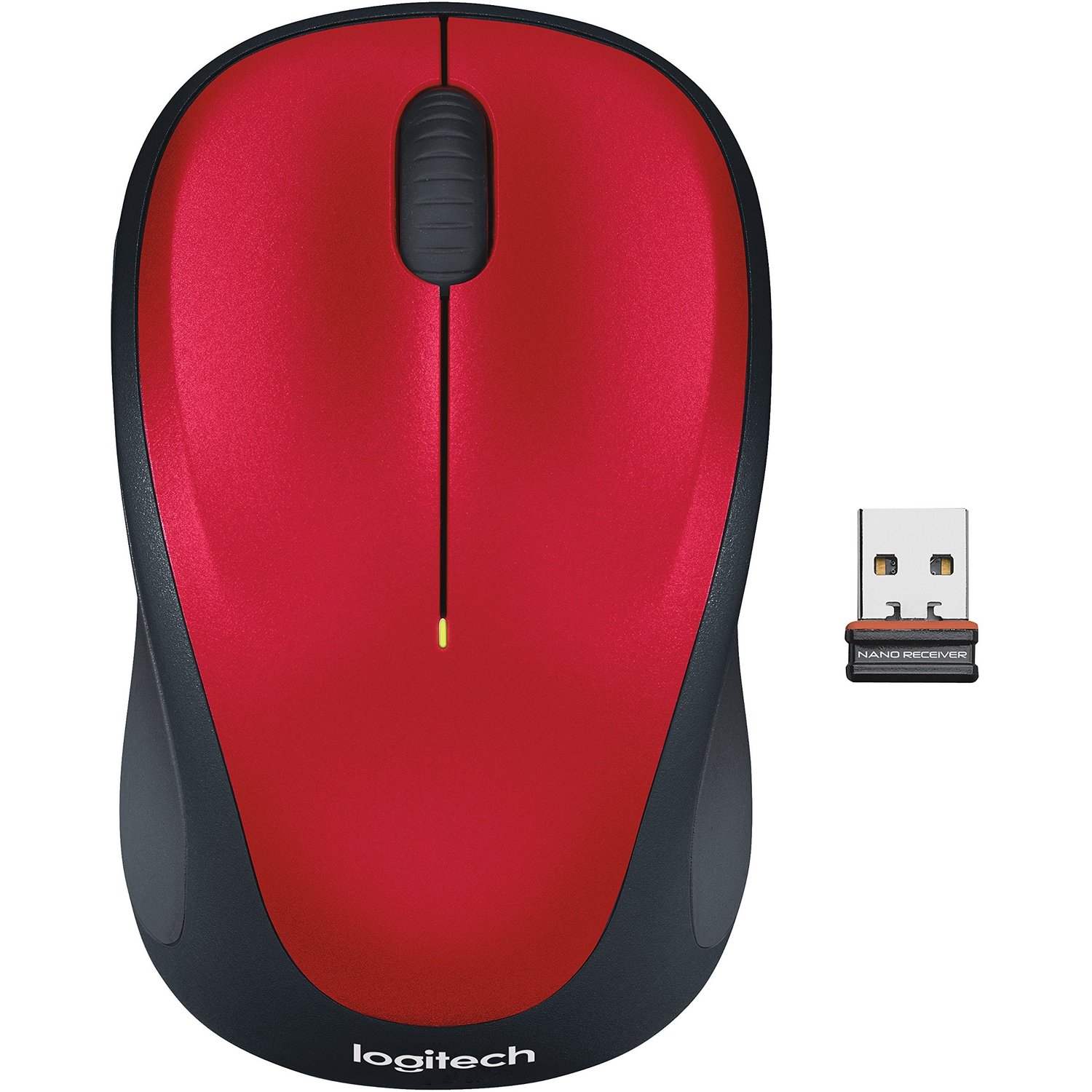
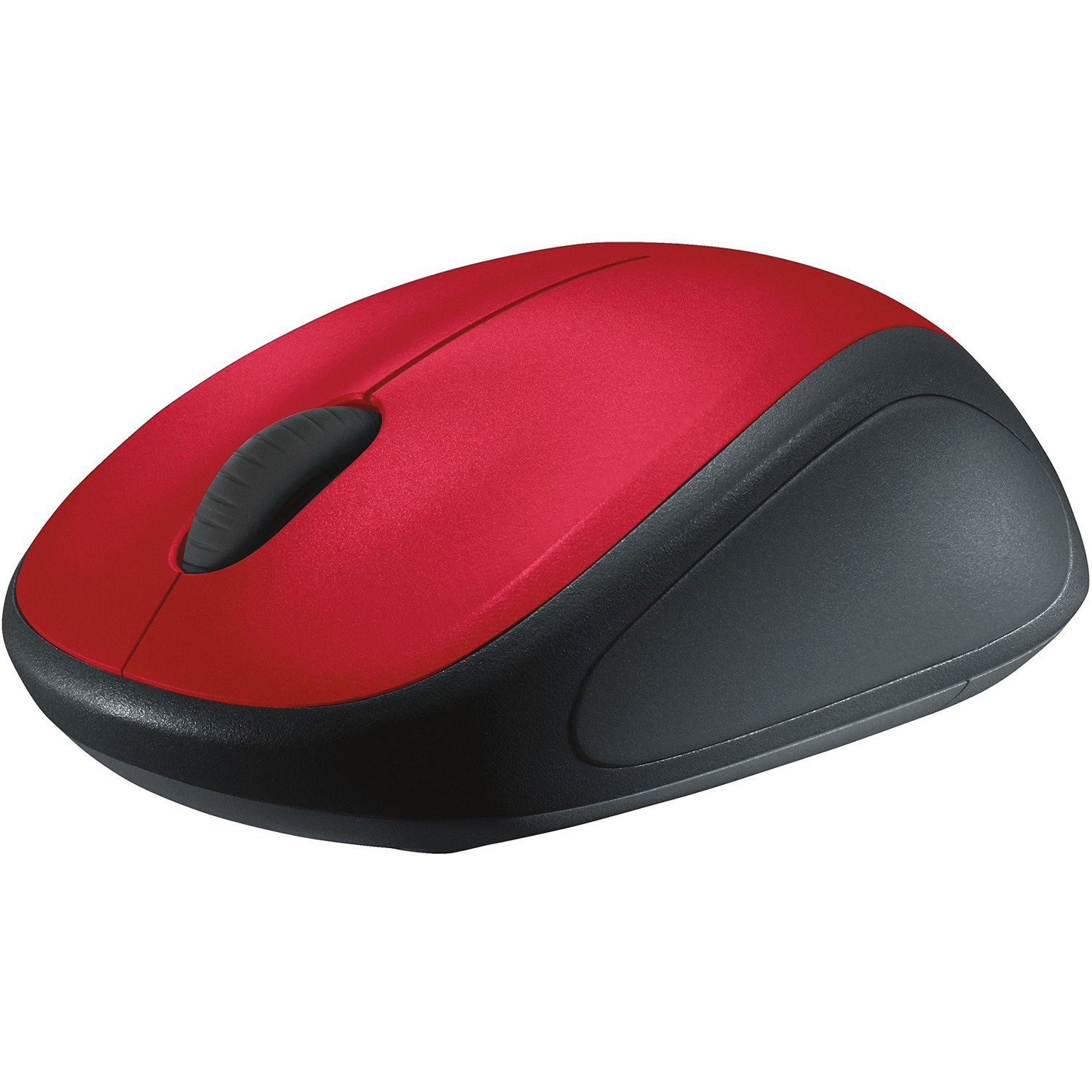
Logitech M235 Wireless Mouse 2.4GHz with USB Receiver
₨ 6,500
- Reliable Wireless Connection: Advanced 2.4 GHz technology provides a strong, no-drop connection from up to 10 meters away.
- Exceptional Battery Life: Enjoy up to 12 months of power on a single set of batteries, saving you money and hassle.
- Comfortable Ergonomic Design: The soft rubber grip and contoured shape fit naturally in your hand for all-day comfort.
- Plug and Play Simplicity: Get to work instantly; the tiny USB receiver plugs in and connects automatically, no software needed.
- Trusted Logitech Quality: Built with Logitech’s renowned durability and precision for long-lasting, reliable performance.
Free shipping on orders over PKR 19,999
- Satisfaction Guaranteed
- Secure Payments
Description
Logitech M235 Wireless Mouse 2.4GHz with USB Receiver | 12-Month Battery Life | Eronomic Grip for Laptop & Desktop (Red)
Are you frustrated with cheap mice that run out of battery at the worst time or feel uncomfortable during long work sessions? The Logitech M235 Wireless Mouse is your simple, reliable, and comfortable solution. Designed for daily use, this mouse delivers the exceptional battery life of up to 12 months, so you can focus on your work or studies without worrying about constant battery changes. Its advanced 2.4 GHz wireless connection ensures a stable and responsive link to your computer, freeing you from cable clutter and giving you the freedom to work from your couch, bed, or across the room. The moment you hold it, youll appreciate the hand-friendly ergonomic design with its soft rubber grips that provide comfort and control, reducing strain during extended use. Its the perfect, hassle-free peripheral for your home office, university laptop, or family desktop. For a complete workstation setup, pair it with one of our durable Laptop Bags for protection on the go, or a Keyboard and Mouse Combo for a unified look and feel. Explore all our essential PC & Laptop Accessories to enhance your computing experience.
Specifications
- Brand & Model: Logitech M235 (Red) | Part No.: 910-003412
- Connection: 2.4 GHz Wireless with USB Nano Receiver
- Battery Life: Up to 12 Months
- Batteries: Requires 1 x AA Battery (Pre-installed for demo)
- Tracking: Logitech Advanced Optical Tracking
- Compatibility: Windows 10, 11, macOS 10.10 or later, Chrome OS, Linux
- Receiver Storage: Integrated in mouse battery compartment
- Color: Red
Whats in the Box
- Logitech M235 Wireless Mouse (Red)=====
- USB Nano Receiver (Pre-paired)
- User Documentation
FAQs
1. Is the Logitech M235 compatible with Windows 11?
Yes, the Logitech M235 is fully compatible with Windows 11, as well as Windows 10, macOS, Chrome OS, and Linux. It uses plug-and-play technology, so no extra drivers are needed.
2. How do I connect the mouse to my computer?
Simply plug the included USB nano receiver into an available USB port on your computer. The mouse is pre-paired and will connect automatically.
3. What is the wireless range of the M235 mouse?
You can expect a reliable connection with a range of up to 10 meters in a typical home or office environment, free from obstacles.
4. Is the battery included with the mouse?
Yes, a single AA battery is pre-installed so you can start using the mouse immediately after purchase.
5. Where is the USB receiver stored?
The USB nano receiver is conveniently stored inside the mouses battery compartment. Just open the cover on the bottom to access it.
6. Can I use this mouse on a glass surface?
While it works excellently on most surfaces like wood, plastic, and mouse pads, it may not track reliably on transparent glass.
7. Can I connect one receiver to multiple Logitech devices?
No, the receiver included with the M235 is for this specific mouse only. For multi-device connectivity, you would need a Logitech Unifying Receiver-compatible mouse.
8. The mouse cursor is not moving. What should I check?
First, ensure the power switch on the bottom is turned ON. Check that the battery is installed correctly and that the USB receiver is firmly plugged into the port.
9. Is the Logitech M235 a good mouse for gaming?
The M235 is designed for everyday computing, browsing, and office work. It is not optimized for the high-performance demands of professional gaming.
10. Is Logitech M235 available in other colors?
Yes, the Logitech M235 is available in a variety of colors including black, blue, red, and grey. Check our store for availability.